One operational surface
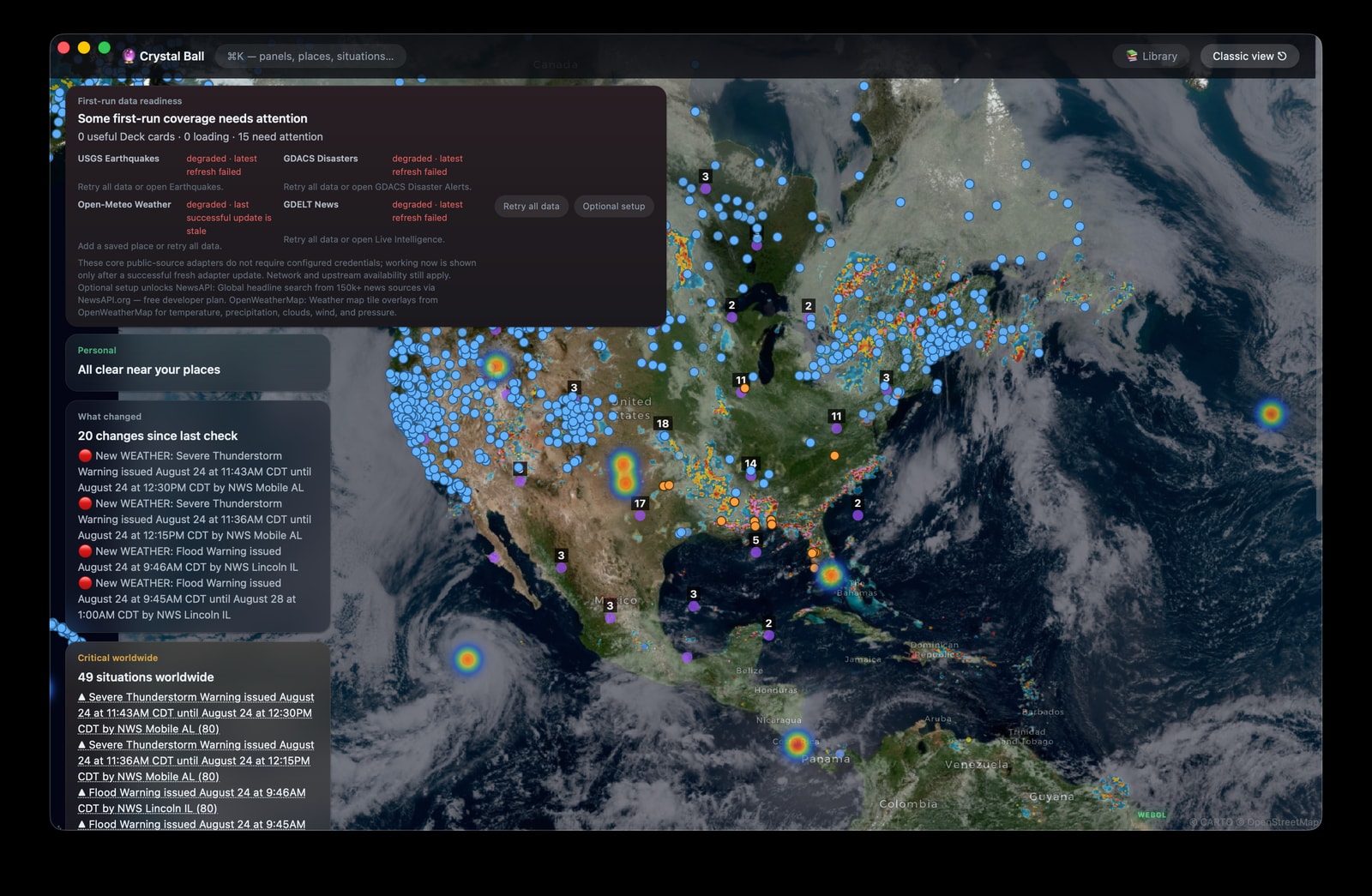
On the full desktop build, Home Shell opens first with the map, briefing bands, status ribbon, pinned Deck, searchable Library, situation dossiers, and focused panels. The classic workspace remains available.
Private global intelligence // macOS
Crystal Ball turns the world's live signals into calm, legible intelligence—across markets, conflict, climate, infrastructure, and more. Private by design. Built for the Mac.
Current main // source-build preview
These capabilities are available on current main in a source build and may lead the latest tagged download. The download button above still points to the latest published release.
On the full desktop build, Home Shell opens first with the map, briefing bands, status ribbon, pinned Deck, searchable Library, situation dossiers, and focused panels. The classic workspace remains available.
The zero-key start identifies USGS, GDACS, Open-Meteo, and GDELT as keyless sources while keeping upstream availability explicit. Readiness distinguishes live, cached, unavailable, or still loading data and offers Retry and Settings actions through keyboard-accessible onboarding.
Disaster Lifelines brings shelters, hospitals, pharmacies, fuel, water, and lodging together for an exact saved-place query. It keeps official FEMA shelter observations separate from each OpenStreetMap directory entry, adds county outage context, validates map overlays, and can retain an offline Lifelines snapshot with bounded prewarming.
An OSRM road-graph route is not verified current road conditions or a safe route. Surface-water measurements and compliance history do not establish tap-water safety. Directory listings do not prove open, stocked, powered, or reachable facilities.
Signal mesh // illustrative
The signal mesh links related events without turning awareness into noise. Hover a node to bring one domain into focus.
One event, its originating reports, related signals, and the assessment—kept together.
ILLUSTRATIVE · SOURCES VARY
01 // Unified intelligence
Move from global pattern to local detail without losing context. Every view shares one intelligence layer.
Conflict, infrastructure, cyber activity, weather, disasters, and geopolitical signals in one connected view.
AI, startups, cloud platforms, service health, and the developer ecosystem—without the tab overload.
Markets, commodities, macro signals, sectors, and central banks interpreted alongside world events.
Science, conservation, health, and human progress for a more complete picture of what is changing.
How it works
Crystal Ball gathers, relates, and presents global context while keeping your credentials and AI workflows under your control.
Connect public feeds and optional providers. Credentials are stored in macOS Keychain, never in the interface.
Local-first on-device AI organizes reporting, links related events, and keeps sources visible.
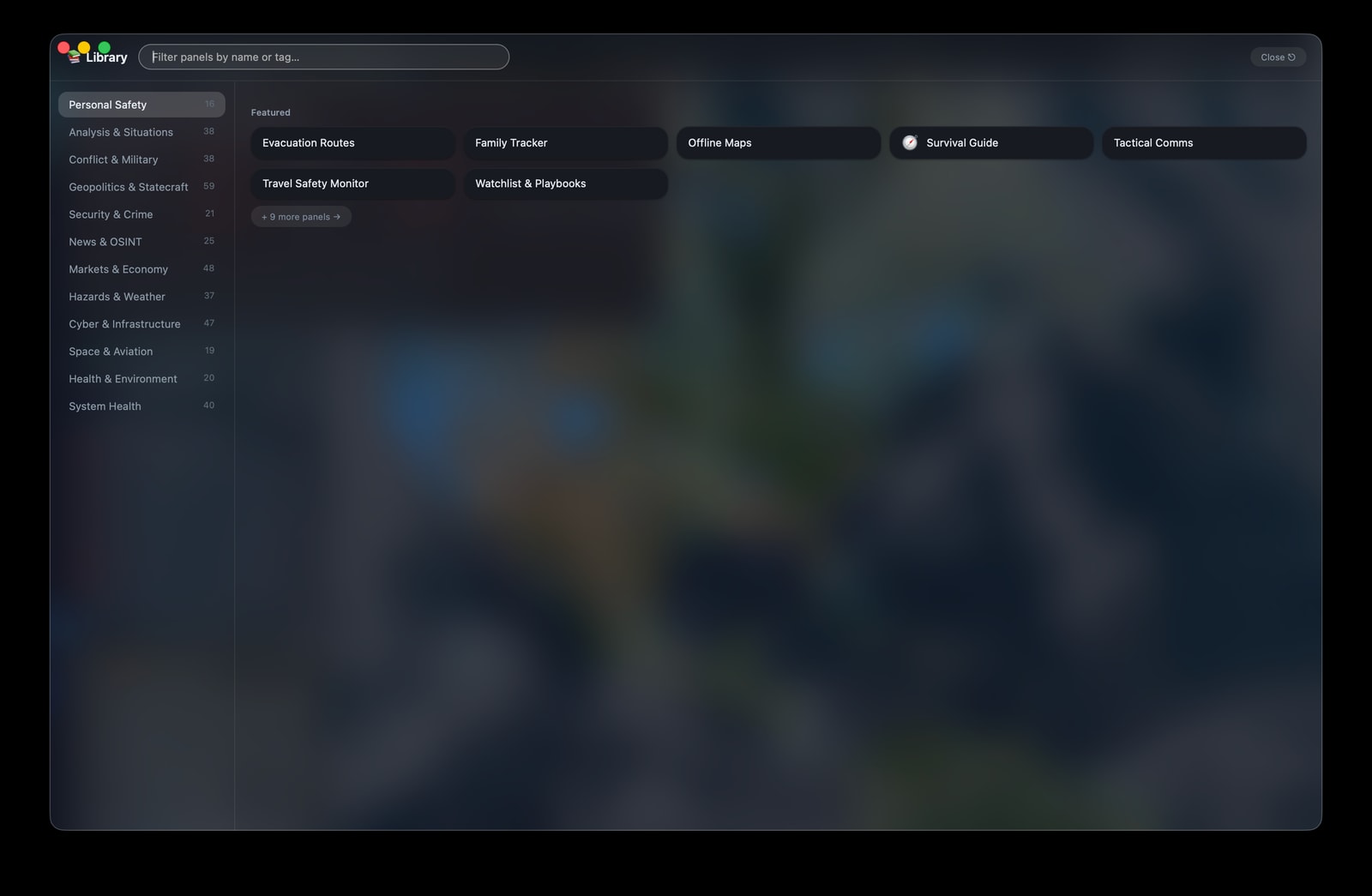
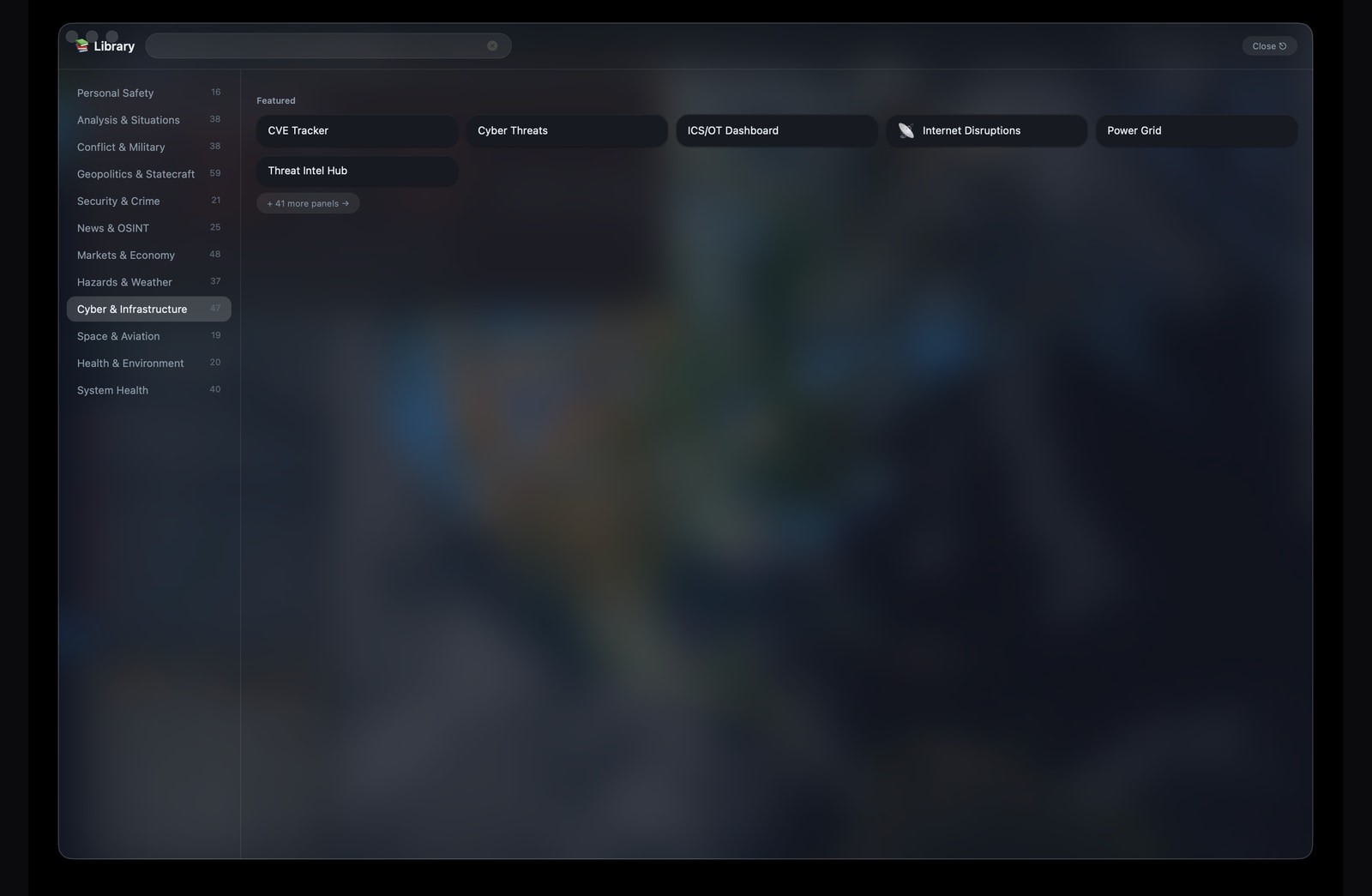
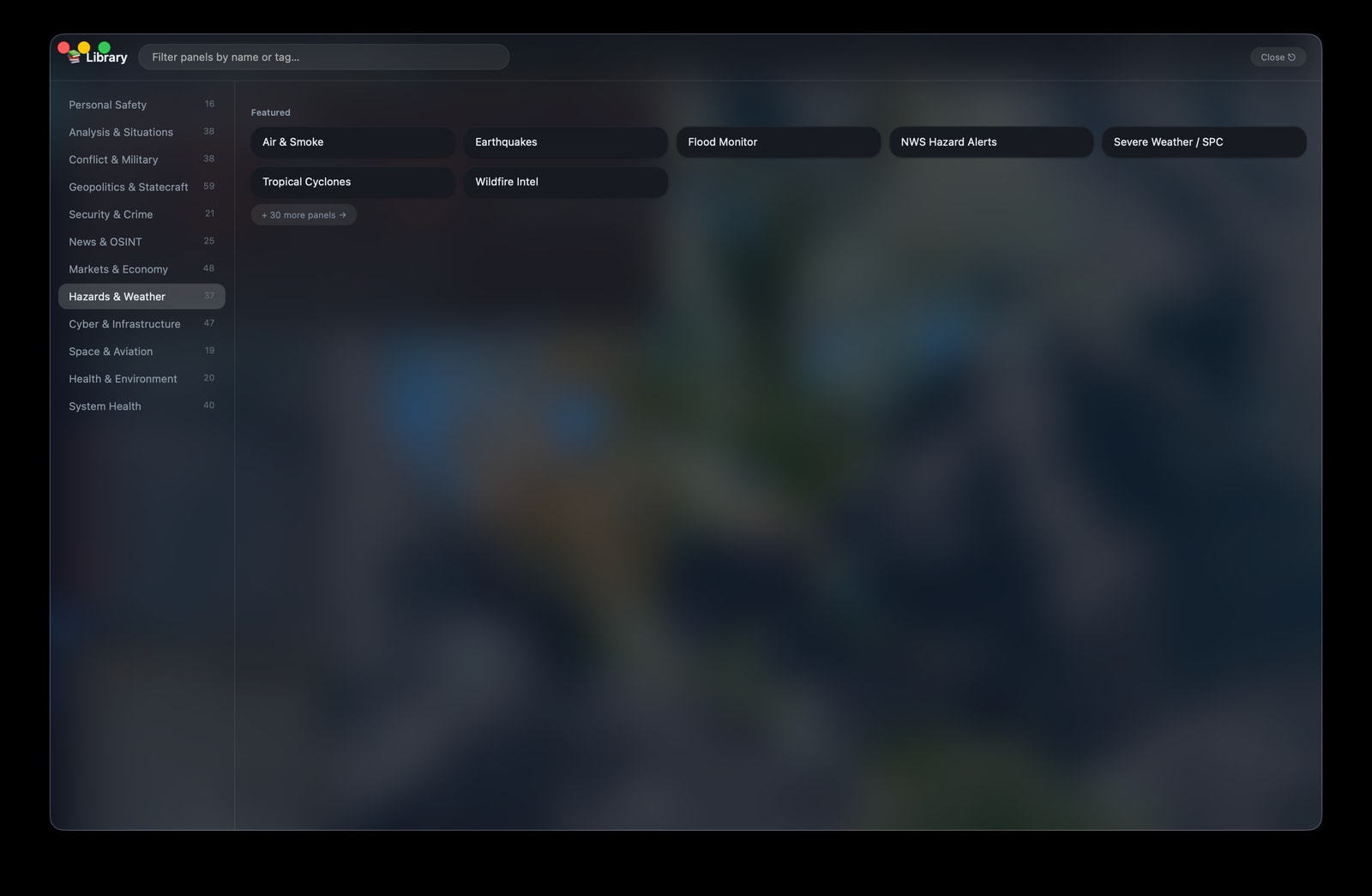
Use layered 2D and 3D maps, the 408-panel Library, or the ⌘K command palette to move from overview to detail.
Capture provenance // Installed macOS app v2.25.147 · live local capture · 24 Aug 2026 · personal data excluded
These are direct window captures from the installed application; no browser harness or staged mock data is shown.
Agent access // local and guarded
Crystal Ball exposes a local command-line and MCP surface for compatible AI agents. The current-main registry covers 61 tools across 9 categories, including generation and query of a weekly evaluation report. The app remains the source of truth, and each response carries sources, timestamps, warnings, and collection caveats.
Provider observations enter Crystal Ball with their origin and collection context intact.
The running Mac app authenticates requests and serves only approved local routes.
Capability checks, route policy, structured output, and quarantine rules are applied.
The agent receives evidence, freshness, provenance, and limitations it can explain to you.
The installed command surface keeps diagnostics and evidence handling explicit. Human output explains the next step; JSON output is suitable for a privacy-safe agent handoff.
crystalball doctor
crystalball safeguard-demo
crystalball evidence
Plain-language labels are generated from the same registry the MCP server uses at runtime, reducing documentation drift without replacing authorization.
Evidence Packet v1 preserves source provenance, freshness, missing capabilities, algorithm and quarantine context, tool permissions, and an integrity digest. A Compatibility verdict identifies mismatched desktop, MCP, skill-contract, or protocol versions before analysis proceeds.
Crystal Ball must be open for live agent data. The optional background monitor checks drift and quarantine state; it does not replace the running app or silently publish your credentials.
Operating concept // signal to action
Crystal Ball is meant to reduce the distance between an emerging signal and a disciplined decision. It does not replace an emergency manager, meteorologist, financial adviser, or primary source. It organizes the evidence those decisions should begin with.
Our intended use is continuous environmental and strategic awareness: establish a normal baseline, detect material change, determine whether the change affects a person, place, asset, route, or market exposure, and then verify the finding at the source. Crystal Ball should make uncertainty inspectable. Every decision record should preserve the issuing authority, observation time, source freshness, geographic relevance, confidence, and the condition that would reverse the judgment.
Forecast and alert layers combine current weather with official warning products so the operator can distinguish inconvenience from a developing safety issue. Saved places and regional views make the analysis personal: not merely where a storm exists, but when it may affect home, family, travel, utilities, or a supply route.
Satellite detections and incident feeds identify active heat signatures and wildfire activity; atmospheric services provide local AQI and pollutant readings. Used together, they help separate a distant fire headline from a smoke or evacuation risk that is plausibly relevant to a saved location.
Flood risk is treated as a compound problem rather than a weather icon. Official alerts, forecast rainfall, USGS WaterWatch gauge stages, dam and levee warnings, and global disaster activations can be read beside roads, population, power, and other exposed infrastructure.
Market prices are read alongside the conditions that may explain them. Indexes, equities, commodities, foreign exchange, crypto, volatility, sentiment, macro series, energy data, and corporate filings provide a structured way to test whether a geopolitical or environmental event is producing a broader economic response.
A hazard becomes operational when it interrupts the systems people depend on. Crystal Ball connects grid outages, internet disruptions, water quality, radiation monitoring, aviation hazards, maritime chokepoints, shipping activity, and pharmaceutical supply so secondary effects can be examined before they become isolated surprises.
The broader threat layer helps the operator recognize when a local concern is part of a larger pattern. Conflict events, military movement, sanctions, cyber indicators, exploited vulnerabilities, disease outbreaks, earthquakes, and geocoded reporting can be correlated by region and time without collapsing unlike evidence into one score.
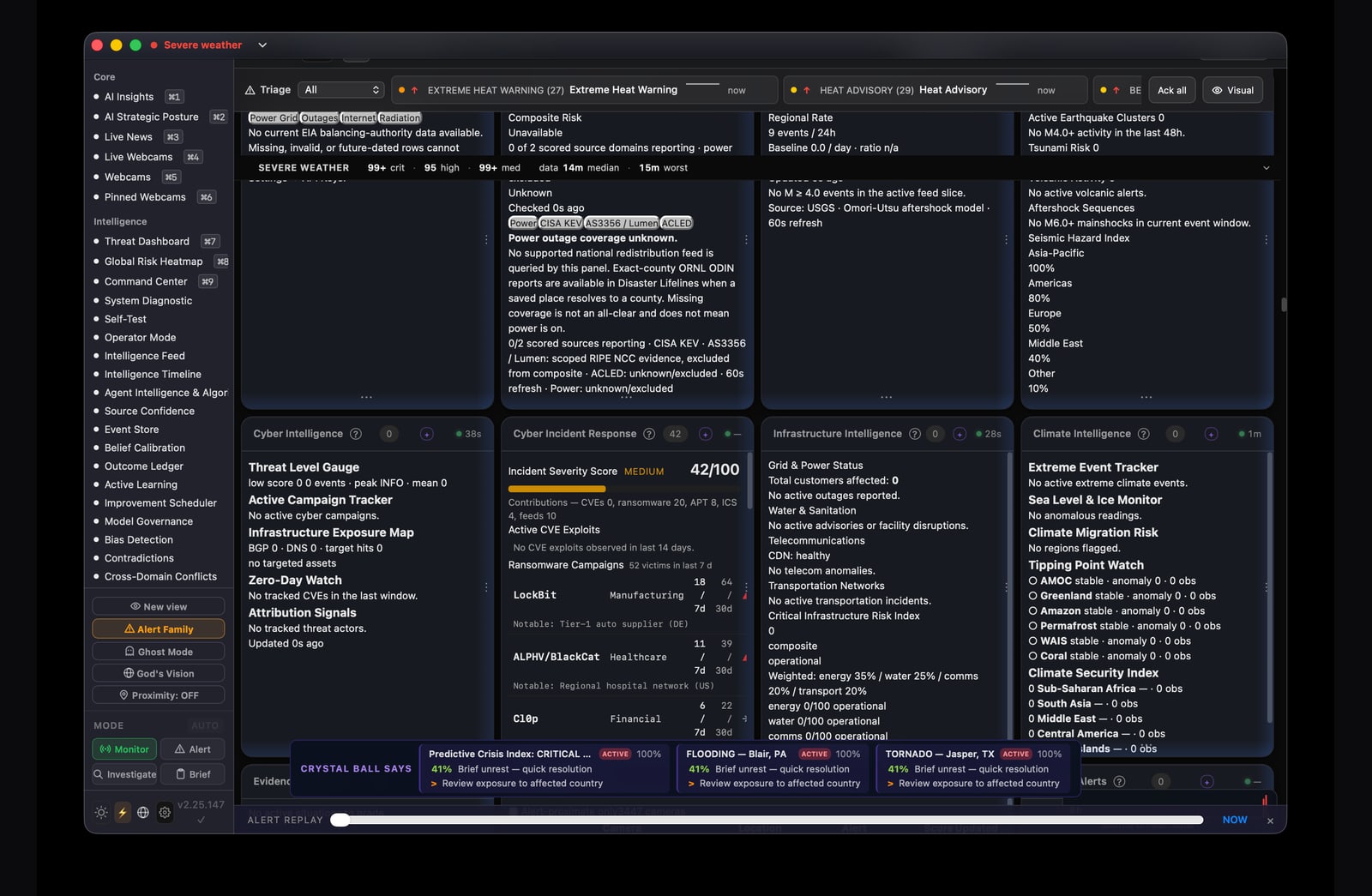
Crystal Ball turns a saved place, current status, fallback plan, and check-in cadence into a concise message that can be pasted into SMS, Signal, or another communications channel. The goal is to reduce hesitation and ambiguity when conditions are changing.
The Tactical Comms panel prepares place-aware updates for Safe, Moving, Stuck, Need Pickup, and Need Meds. Each message includes the saved place, UTC time, status-specific action, primary channel, fallback ladder, and next check-in window.
Family Tracker generates and parses a short location, status, and optional battery record designed to survive the character and bandwidth limits of SMS or radio. Family locations remain local until the operator chooses to share a code.
WM:lat,lon,STATUS,BATT%
Alert Family builds the primary communications message and copies it for immediate use. The plan can prioritize a family SMS or Signal thread, then step down to voice, radio, mesh, satcom, or a rally point when the primary channel fails.
Define home, family, travel, or evacuation locations and the contacts responsible for each plan.
Order SMS, Signal, calls, radio, mesh, satcom, and rally procedures before networks degrade.
Generate a consistent update and copy it into the channel that is still available.
If a check-in is missed, use the next channel or rendezvous step defined in the plan.
A repeatable sequence for severe weather, wildfire, smoke, flood, earthquake, or other physical hazards near a saved place.
A disciplined research loop for understanding a move without mistaking a live dashboard for a trading system.
| Mission | Representative sources | What Crystal Ball contributes | Operator decision |
|---|---|---|---|
| Weather | NWS, OpenWeatherMap, NOAA products | Conditions, watches and warnings, location context, severity and timing | Monitor, prepare, avoid travel, or verify with the issuing authority |
| Wildfire | NASA FIRMS, INPE, incident feeds | Satellite detections, incident proximity, recency, smoke context | Review fire authority notices, clean-air readiness, and evacuation routes |
| Air quality | Open-Meteo and OpenAQ | US AQI, PM2.5, PM10, ozone, nitrogen dioxide, local trend | Reduce exposure and follow public-health guidance when thresholds rise |
| Flood and disaster | USGS WaterWatch, NWS, FEMA, GDACS, Copernicus EMS | Gauge stage, official warnings, disaster activation, exposed geography | Avoid flooded routes and follow evacuation or shelter instructions |
| Markets and macro | Finnhub or Stooq, FRED and SEC EDGAR, Treasury and BLS | Quotes, volatility, rates, macro series, filings, cross-domain context | Research exposure, test a hypothesis, and seek qualified advice |
| Infrastructure | ORNL, IODA, EPA, FAA, maritime and supply feeds | Power, network, water, radiation, transport, chokepoint, and shortage signals | Adjust continuity, communications, travel, and essential-supply plans |
| Cyber | CISA KEV, ThreatFox, URLhaus, OpenPhish, OTX | Known exploitation, indicators, malicious infrastructure, entity lookup | Validate exposure, prioritize patching, block indicators, escalate review |
| Conflict and crisis | ACLED, GDELT, DoD/NATO reporting, WHO, ReliefWeb, USGS | Regional events, military posture, outbreaks, earthquakes, and correlation | Refine a regional brief, watch dependencies, and request specialist review |
| Personal communications | Tactical Comms, Family Tracker, operator-selected SMS or Signal channel | Place-aware status templates, check-in windows, fallback ladders, and compact share codes | Review, send, confirm receipt, and escalate to the next planned channel |
Availability varies by geography, provider, rate limit, and configuration. Some services require an operator-supplied API key stored through macOS Keychain. Crystal Ball exposes feed health and timestamps so unavailable or stale coverage can be treated as an explicit analytical gap.
Emergency Alert Lab // deterministic replay
This lab explains how an operator can move from a severe signal to a bounded decision. It is educational, runs only in this webpage, never contacts the installed app, and never sends a notification.
The screenshot below is a privacy-reviewed capture of Scenario Replay in the installed macOS app. It shows the real five-fixture chooser before execution.
The scenario cards are a static explanation of the reasoning loop. Selecting one changes only this page; it does not execute a replay or contact any authority.
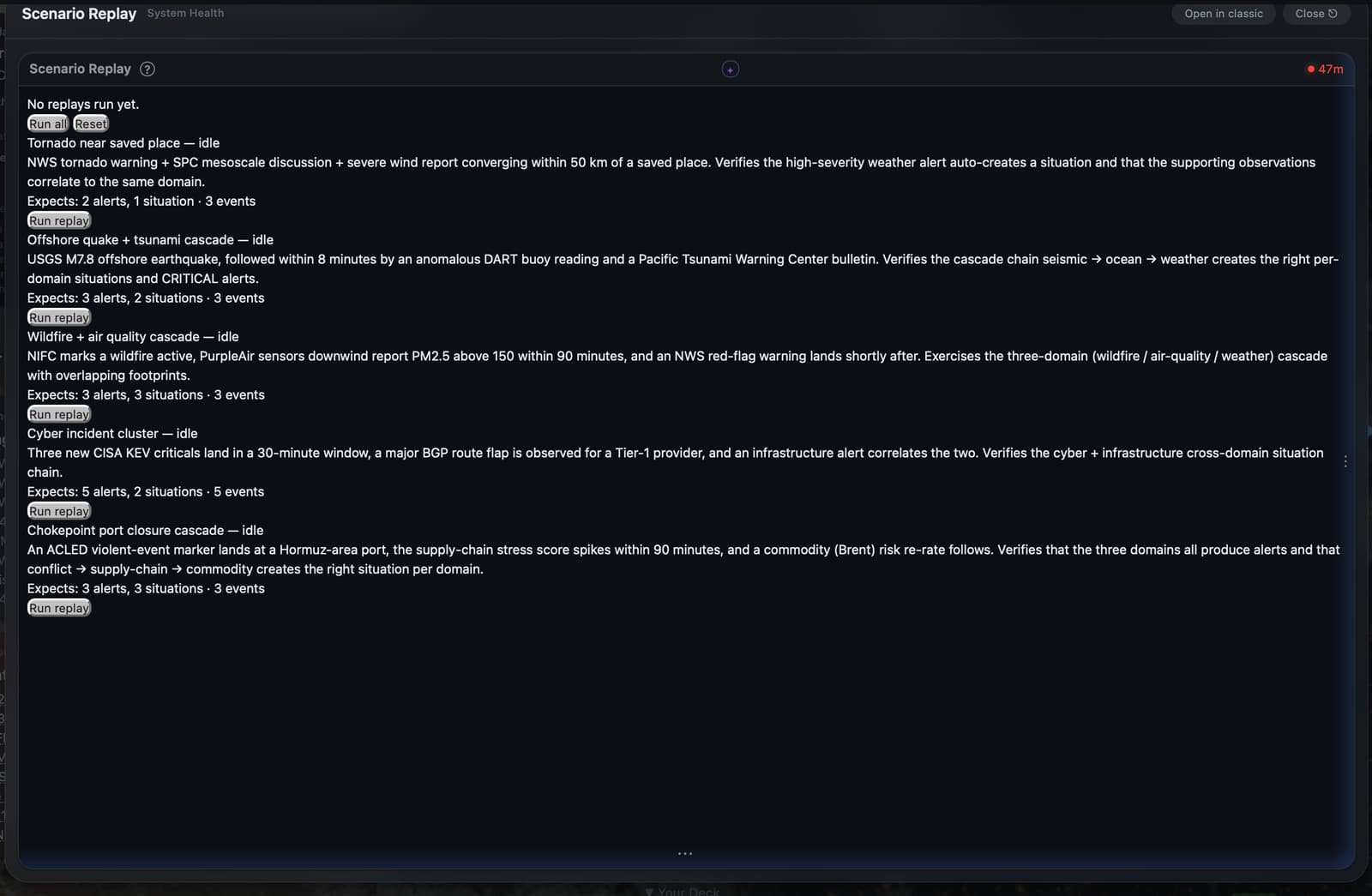
All five educational walkthroughs are visible.
A fast-onset weather fixture combines an official warning with supporting severe-weather observations.
Severity-derived alert and weather-situation rows are present after replay.
It does not demonstrate a saved-place match, delivery, sirens, or conditions at your location.
A seismic fixture pairs an offshore earthquake with a buoy anomaly and tsunami-warning bulletin.
Seismic and weather-domain situation rows and severity-derived alerts are present.
The replay does not model wave arrival, inundation, structural safety, or delivery.
A three-domain fixture places a wildfire, high PM2.5 readings, and red-flag warning in one replay window.
Wildfire, air-quality, and weather rows are present at the expected severities.
Overlapping fixture footprints do not prove smoke transport, exposure, or a causal chain.
A cross-domain fixture combines new exploited-vulnerability entries with a major route flap.
Cyber and infrastructure rows are present in the deterministic replay result.
A route flap is not a grid or cellular outage and does not establish cyber attribution.
A logistics fixture aligns a chokepoint conflict marker, supply-chain stress, and commodity re-rate.
Conflict, supply-chain, and commodity situation rows are present after replay.
The pre-authored sequence does not prove causality, shortage timing, or inventory impact.
Quick start // real app
Four live desktop views show how the installed app moves from the world map to focused market, panel, and source configuration. The capture set excludes credentials, precise coordinates, phone numbers, and named saved places.
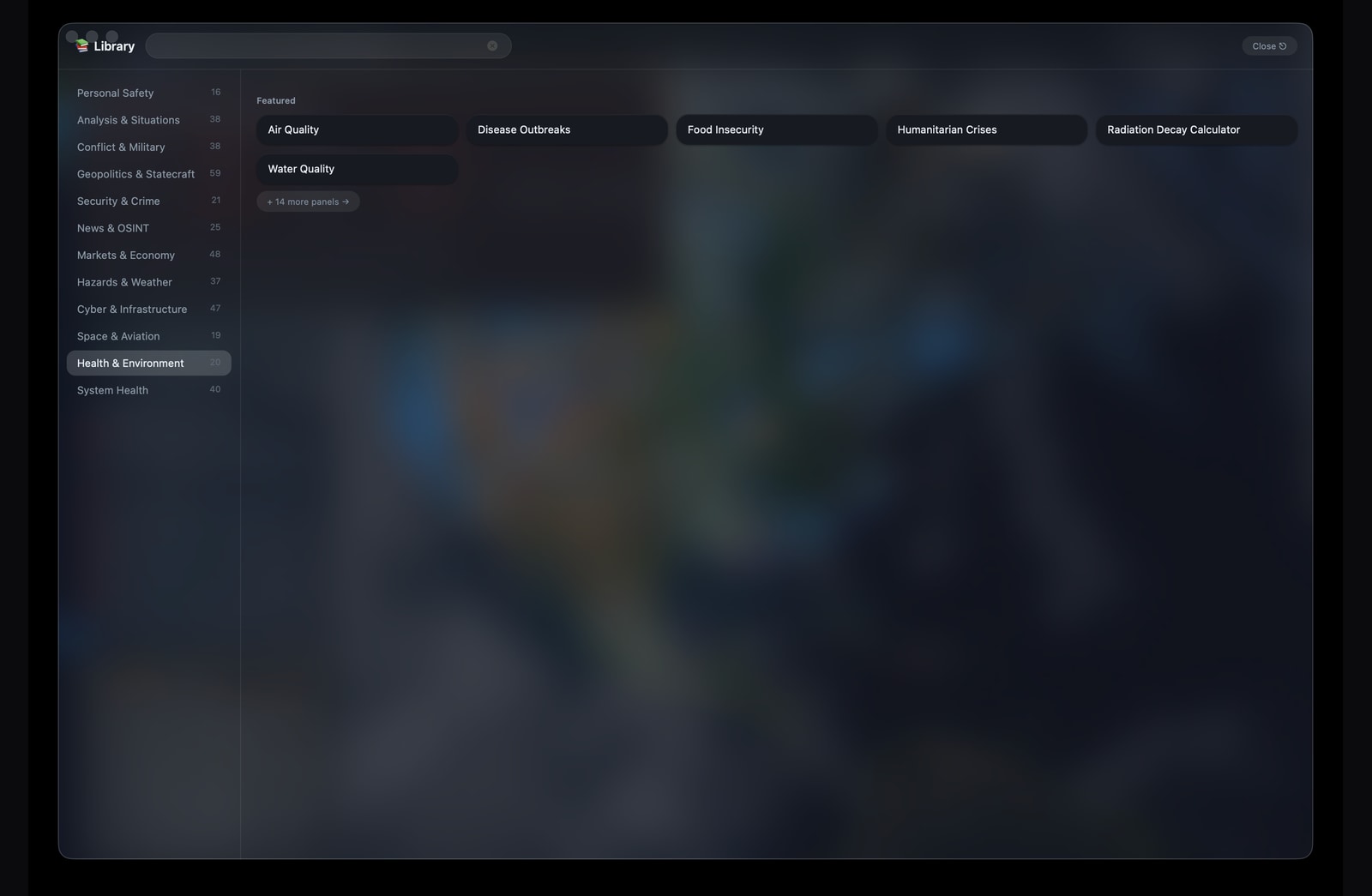
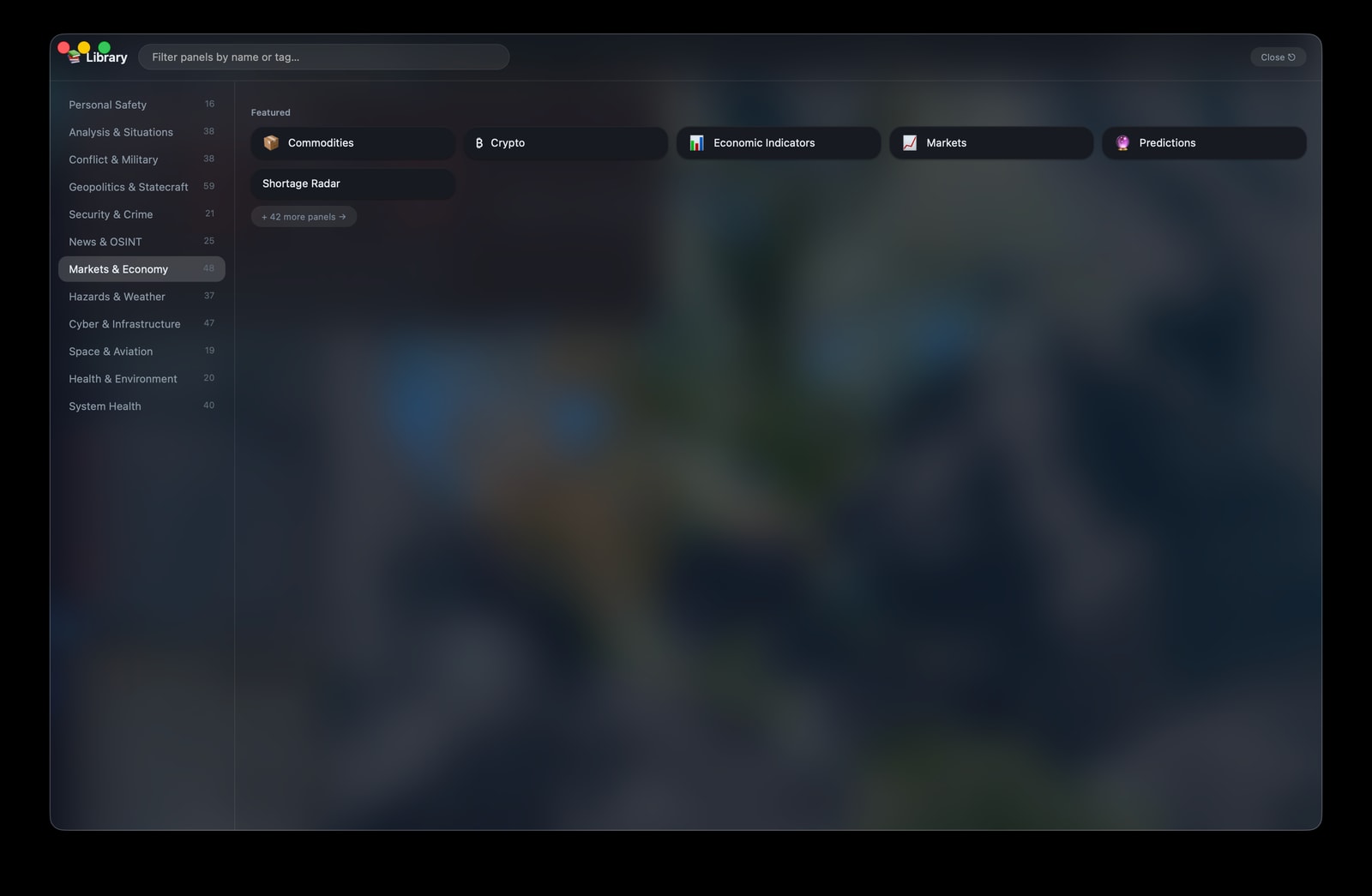
The Markets & Economy Library groups commodities, crypto, indicators, price monitoring, predictions, and shortage intelligence before an analyst opens a focused panel.
Library // 48 market and economy panels in the captured build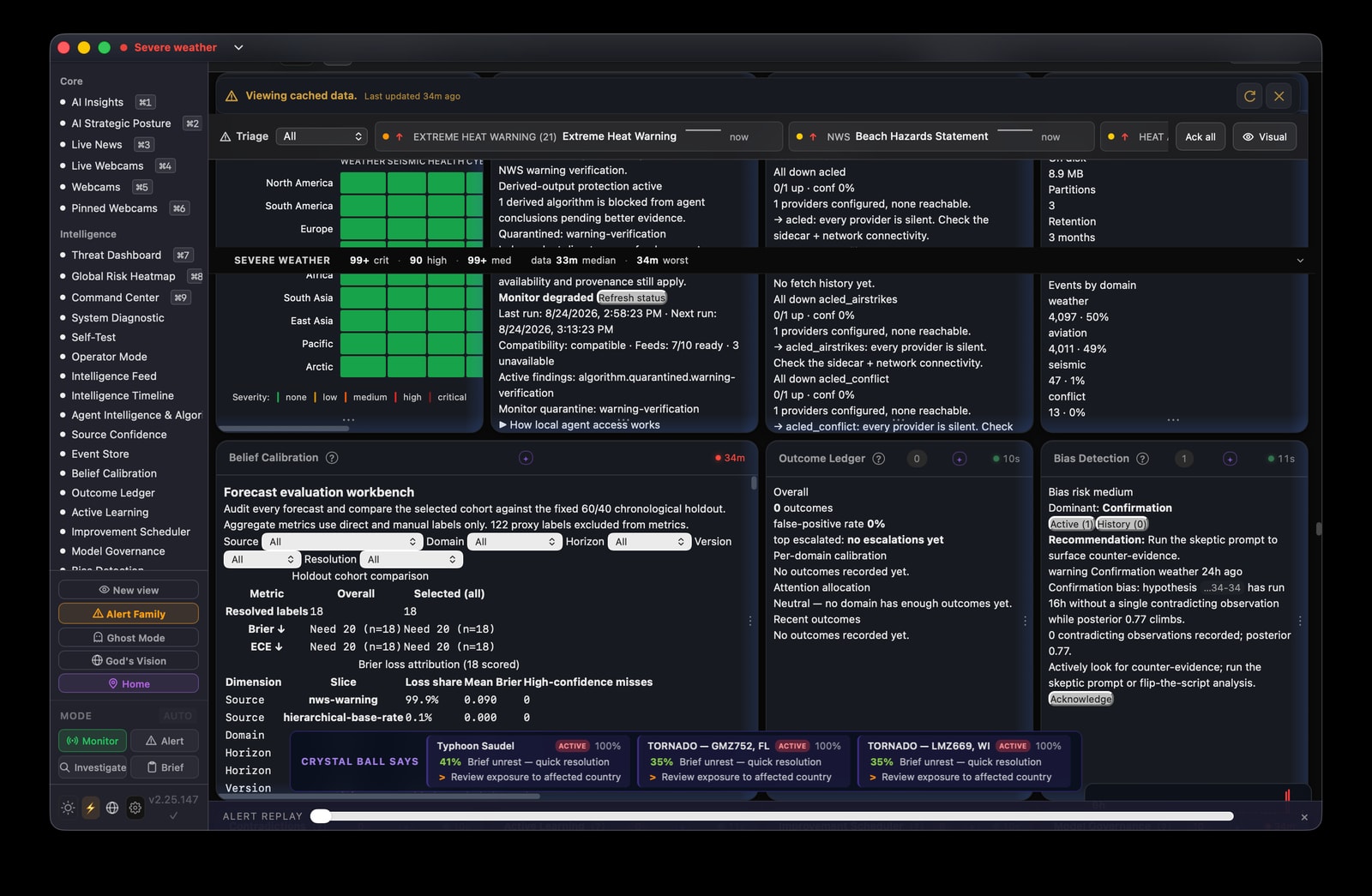
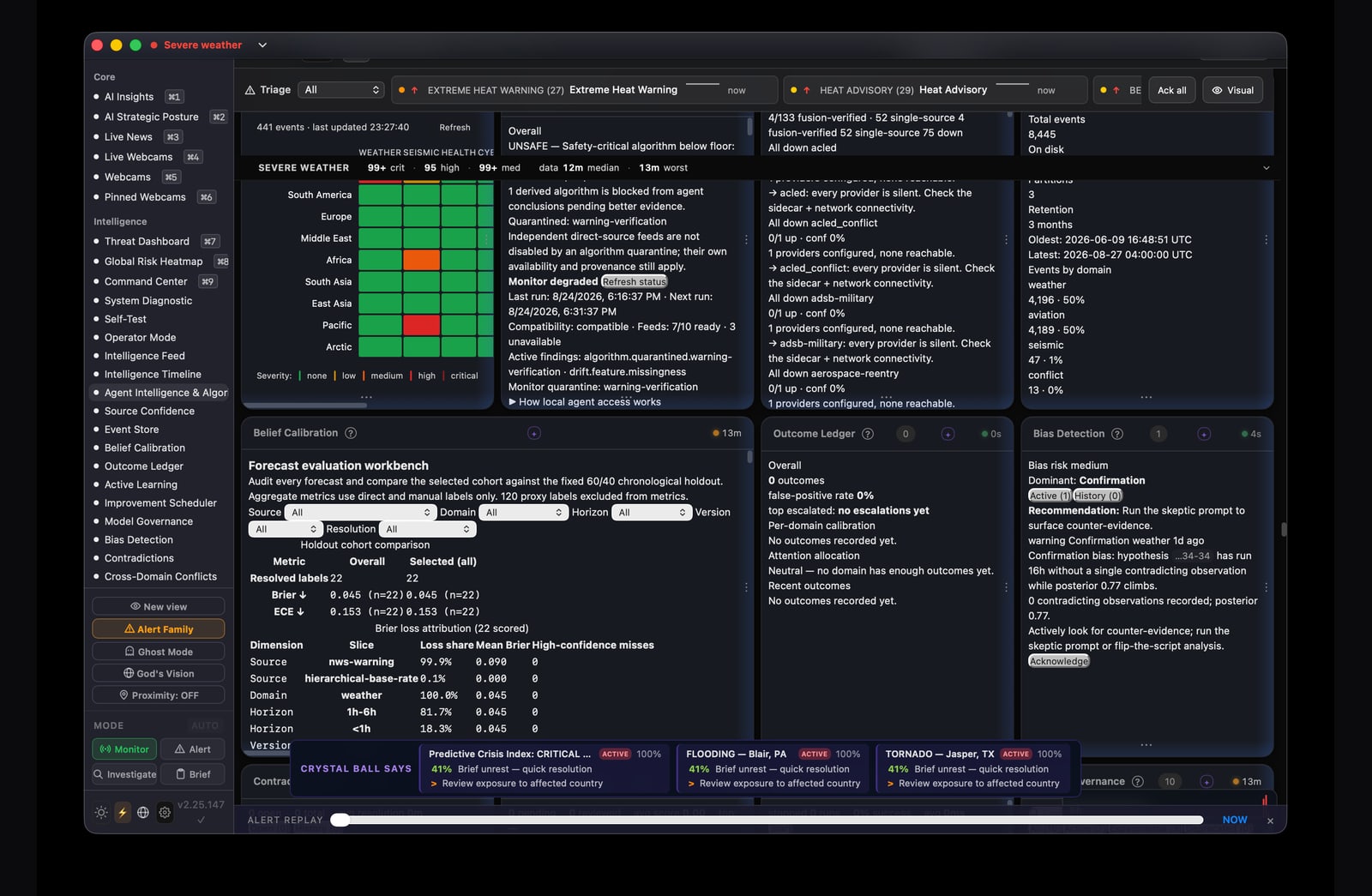
The Classic workspace keeps the regional risk matrix beside forecast evaluation, outcomes, and bias checks so confident-looking signals can be audited against their evidence and history.
Live state // source health and model results are time-bounded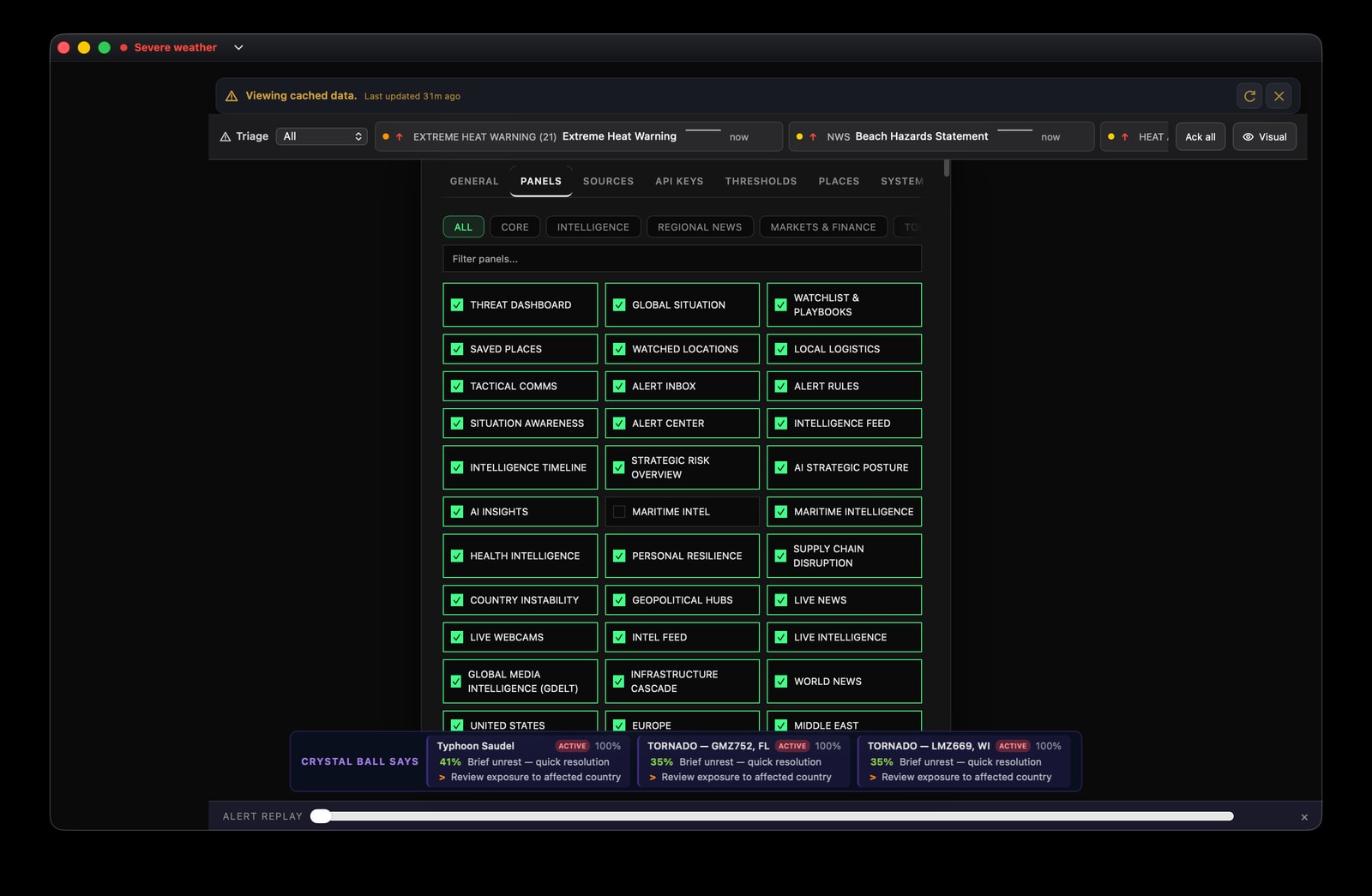
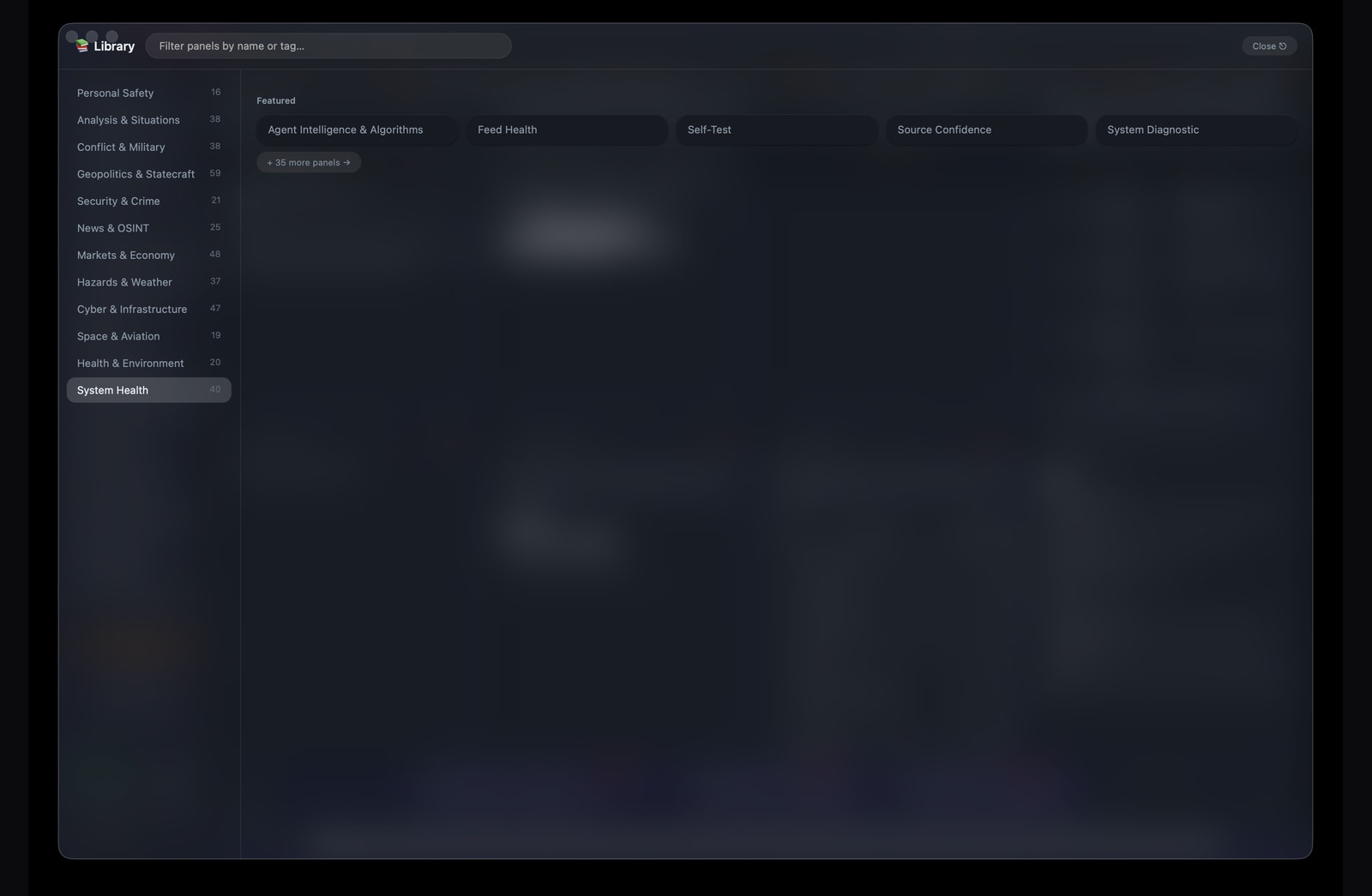
Panel controls expose the active mission surface directly: search the catalog, filter by domain, and include only the panels needed for the current operating question.
Privacy // keys stay in macOS Keychain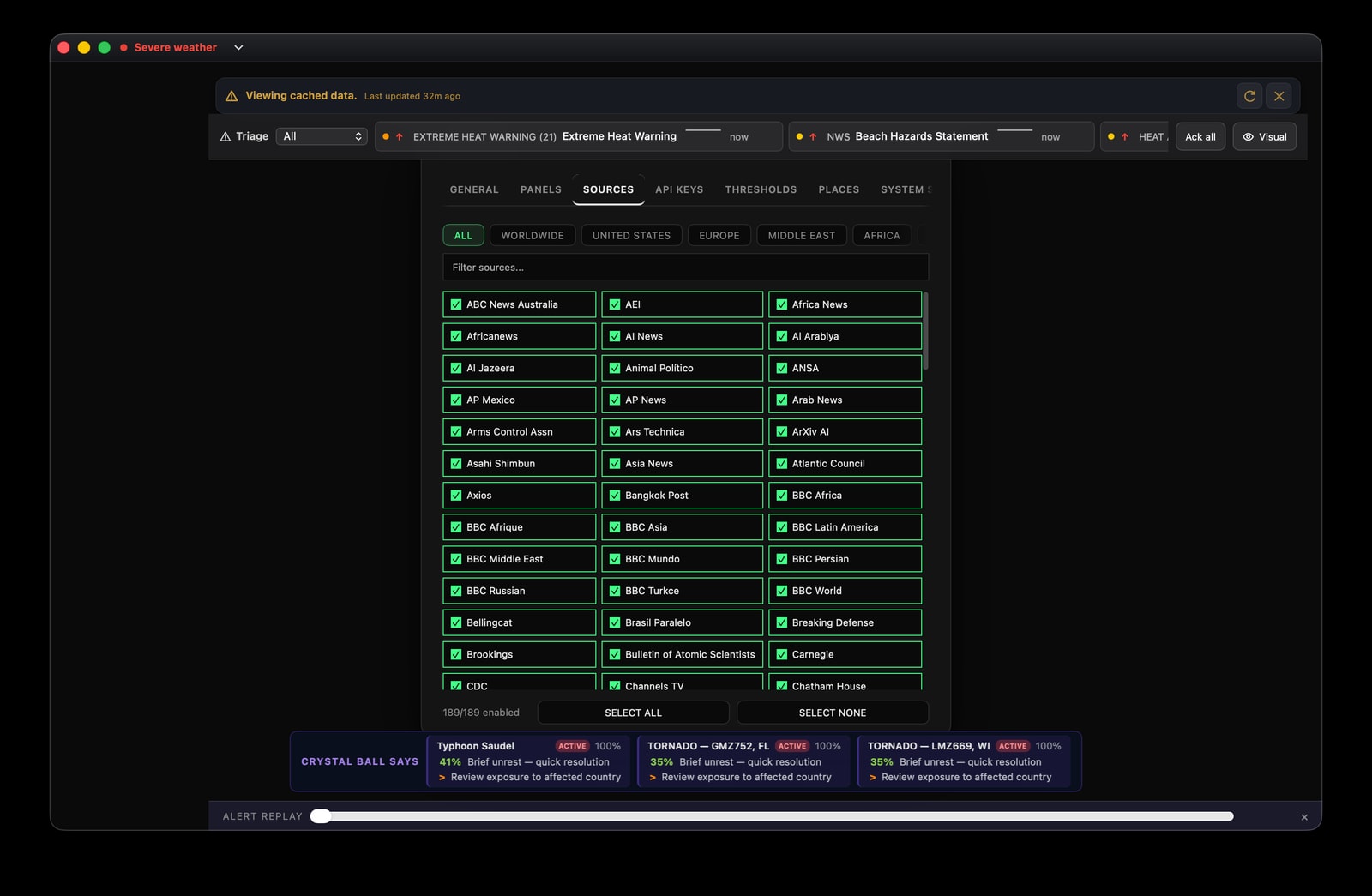
Source controls make the reporting universe visible. Regional filters and per-source switches help expose concentration, blind spots, and the difference between source count and independent corroboration.
Collection // 189 enabled sources in the captured viewAnalytic note // interface assessment
This assessment examines how Crystal Ball structures collection, triage, synthesis, and review. It evaluates the analytical design visible in the shipping interface—not the truth of any individual feed, forecast, or event.
Crystal Ball is organized around a defensible intelligence principle: preserve the seams between collection, correlation, assessment, and action. The interface attempts to make sources, latency, corroboration, calibration, and operator choices inspectable instead of collapsing them into a single authoritative-looking answer.
Horizon scanning, prioritization, hypothesis generation, situational awareness, and structured review across multiple public-source domains.
The interface can improve analytical discipline, but it cannot guarantee source independence, eliminate collection bias, or convert incomplete reporting into certainty.
The product is optimized for relationships among signals—not consumption of a single feed. Its value increases when developments in weather, conflict, infrastructure, health, markets, and logistics must be interpreted together.
Source selection, validation states, update age, outcome review, and calibration remain visible. This gives an analyst several opportunities to challenge an assessment before it becomes a decision.
Panels, sources, places, thresholds, and operating modes define what the analyst can see and what is allowed to compete for attention. A workspace therefore expresses standing intelligence requirements.
On-device processing and Keychain storage reduce routine credential exposure. Optional external providers still introduce their own data-handling terms and should be treated as explicit boundary crossings.
The strongest use of Crystal Ball follows a repeatable cycle in which every stage produces a question for the next.
Define the decision, geography, time horizon, and indicators that would change the judgment.
Select sources and panels for coverage, independence, freshness, and relevance—not volume alone.
Look for agreement across time, location, and domain while checking whether reports share one origin.
Review counter-evidence, confidence, calibration, data gaps, source incentives, and alternative explanations.
Separate facts from judgments, state uncertainty, document assumptions, and define the next observable change.
| Level | Meaning | Analyst action |
|---|---|---|
| Raw report | One publication, sensor reading, or observation. | Establish provenance, age, access, and possible incentive. |
| Signal | A normalized indicator extracted from one or more reports. | Check schema, freshness, duplication, and geographic fit. |
| Corroborated event | Evidence agrees across sources or domains. | Test source independence and seek disconfirming evidence. |
| Assessment | An analytic judgment about meaning, risk, or likely direction. | State confidence, assumptions, alternatives, and information gaps. |
| Decision support | A prioritized implication tied to an operator’s requirement. | Define action, owner, threshold, and indicators for revision. |
This example shows how an analyst could move through the system when an extreme-weather alert appears near a port or distribution corridor. It demonstrates method; it does not describe a specific real-world incident.
Use triage and the map to establish severity, location, age, and the original issuing authority.
Identify nearby transport, power, population, health, and infrastructure dependencies.
Compare local, official, and specialist reporting while tracing whether outlets share one source.
Examine shipping, supply-chain, market, and resilience panels for second-order effects.
Brief what is known, state confidence, and define thresholds that would change the assessment.
Output // a bounded assessment with explicit evidence, uncertainty, exposure, and monitoring criteria—not a prediction presented as fact.
The architecture favors local processing and operating-system credential storage. The exact boundary still depends on which public feeds and optional providers the operator enables.
Reporting, sensors, feeds, and other network data enter the collection layer.
Collection, correlation, local AI workflows, panels, and operator review occur in the desktop app.
Selected requests may leave the Mac when the operator enables an external service.
Credentials // stored through macOS Keychain and kept out of the visible interface and project files.
Local-first // reduces routine exposure; it does not make network data or enabled providers local.
Operator responsibility // provider terms, retention, and transmitted fields should be reviewed before connection.
Feature tour // live screens
The following plates document the running macOS application as an intelligence system rather than a collection of screens. Each view is examined for its operational purpose, analytical value, and limits of interpretation.
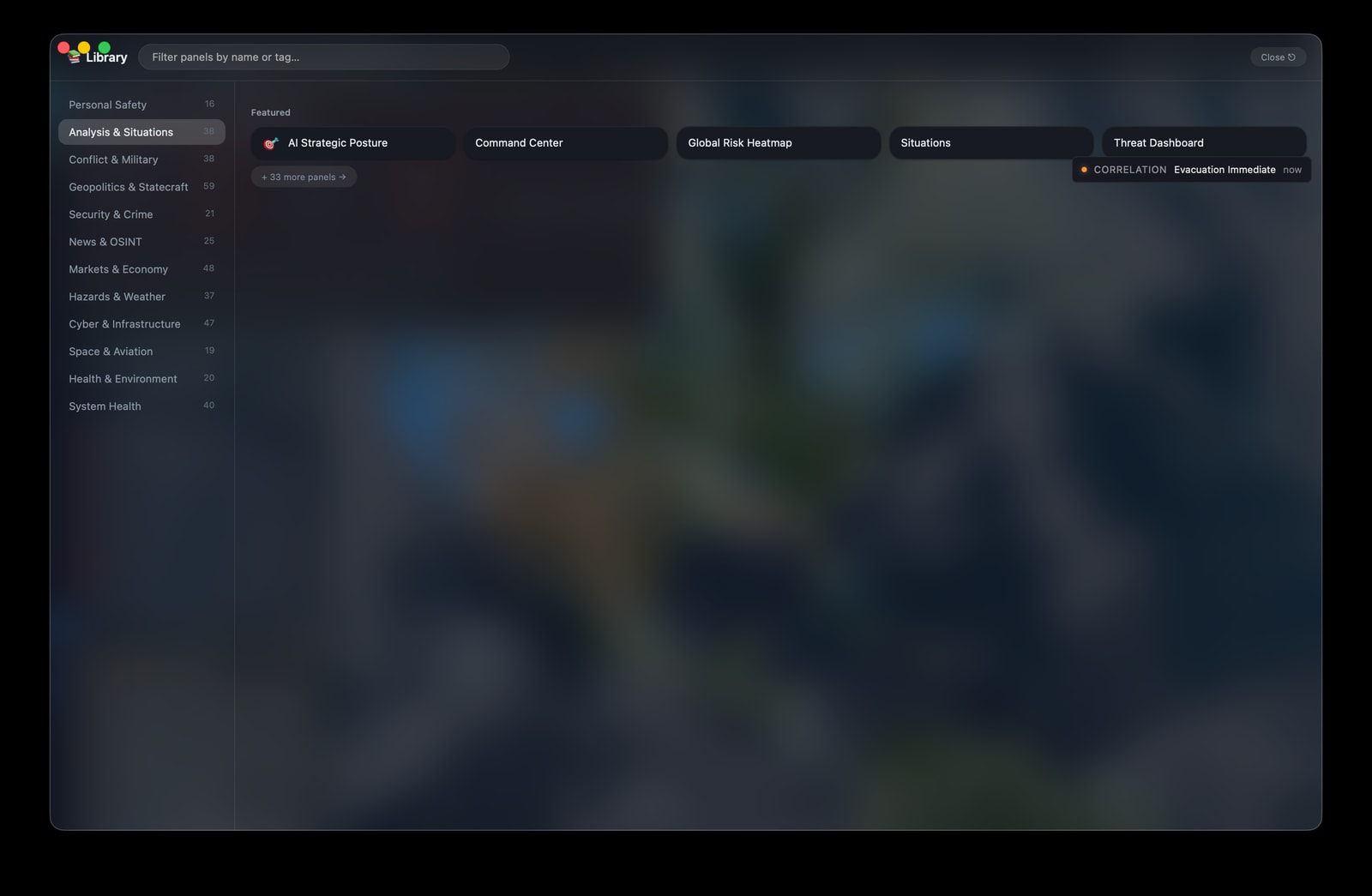
The searchable Library is the entry point to the current analysis catalog. The captured category highlights strategic posture, Command Center, Global Risk Heatmap, Situations, and Threat Dashboard, with 33 additional analysis panels available from the same view.
Grouping panels by mission reduces navigation cost while preserving choice. An operator can move from a broad analytical question to a focused surface without treating the Library itself as evidence or an assessment.
A catalog entry describes a capability, not current data quality. Once opened, each panel must still be read as a bounded evidence stream with its own update cadence, coverage, and uncertainty.
The captured workspace places regional risk beside forecast evaluation, outcome tracking, and bias checks. It shows the actual installed application state at capture time, including degraded inputs and incomplete outcomes, rather than a clean demonstration state.
Calibration is essential when forecasts influence prioritization. Analysts can compare forecasts with resolved outcomes, inspect base-rate and loss metrics, and review bias warnings before allowing a score or color to drive attention.
A precise score can still rest on small samples, missing outcomes, or degraded collection. The dashboard is a triage instrument, and its visible seams show where primary-source confirmation or more evidence is still required.
The Home view combines the satellite map, enabled overlays, source-readiness evidence, worldwide changes, and the panel deck. The capture preserves degraded source states instead of implying that every public adapter is healthy.
The map offers orientation while the surrounding cards expose what changed and whether key feeds are fresh enough to support interpretation. Operators can move from the worldwide view into a focused Library panel without losing collection context.
Map density is not the same as severity, and a quiet region can mean missing collection rather than verified calm. Source readiness and timestamps must travel with any visual conclusion.
The panel-control surface functions as a lightweight mission configuration layer. Rather than requiring every operator to inherit the same dashboard, it allows the visible workspace to be narrowed to the questions at hand: strategic risk, live intelligence, regional reporting, infrastructure, health, maritime activity, or personal resilience.
A focused workspace reduces attentional competition and makes handoffs more consistent. Categories provide a stable taxonomy, while search supports rapid retrieval when the analyst already knows the panel required. Individual panels can be enabled or removed without rebuilding the broader application layout.
Panel selection governs what is visible to the operator; it does not by itself establish collection quality or analytical priority. A clean workspace is useful only when its configuration reflects explicit intelligence requirements rather than convenience.
The source-control view exposes the reporting universe entering the signal mesh. Sources can be searched, filtered by geography, and enabled or disabled individually. This turns collection from an invisible backend assumption into a reviewable policy decision that an analyst can revisit as requirements, trust judgments, or regional priorities change.
Visible source governance helps identify geographic blind spots, overreliance on a single reporting ecosystem, and duplicate coverage that may create a false impression of corroboration. Regional filters support a deliberate balance between local reporting, international outlets, research institutions, and open-source intelligence.
Inclusion is not endorsement, and numerical source diversity is not the same as independent confirmation. Analysts should consider ownership, syndication, collection method, publication incentives, and the possibility that several outlets ultimately depend on the same original report.
02 // Signal over noise
Crystal Ball brings fragmented public information into a single calm interface. Its desktop architecture keeps API keys in the macOS keychain, supports local AI first, and makes the source available for anyone to inspect.
Explore the architecture on GitHub ↗Start with on-device intelligence and keep credentials out of the interface.
Trace signals back to their origins and distinguish reporting from assessment.
Inspect the code, contribute improvements, or build on the project under AGPL-3.0.
FAQ
The short version: Crystal Ball is an open-source Mac app, your keys stay yours, and local intelligence comes first.
No. Crystal Ball is designed to work without a Crystal Ball account or behavioral tracking.
API keys are stored using macOS Keychain credential storage, outside the app's interface and project files.
Local-first on-device AI is the default direction. Optional provider features depend on the services you choose to connect.
Yes. The source is public on GitHub and licensed under AGPL-3.0.
Crystal Ball can surface and contextualize official warnings, nearby hazards, and infrastructure conditions, but it is not an emergency authority. Follow local emergency management, fire, weather, public-health, and law-enforcement instructions; call emergency services when danger is immediate.
Not in the current alpha. Tactical Comms, Family Tracker, and Alert Family prepare structured SMS-ready messages and copy them to the clipboard. You choose the recipient, review the message, and send it through Messages, Signal, or another available channel. This prevents an unfinished alerting system from contacting people without confirmation.
No. Market panels, watchlists, filings, macro data, and cross-domain analysis support research. They are not investment advice, trade execution, or a substitute for current source data and qualified professional judgment.
03 // Keep the signal alive
Sponsorship helps cover data services, development time, testing, and the infrastructure that keeps Crystal Ball useful. If the project helps you see the world more clearly, help keep it moving.